
Ipiccy
29. What Else?
What have we got left to explore in iPiccy? There is still the Designer section accessed via the Orange Arrow. Let me finish this tutorial on this topic.
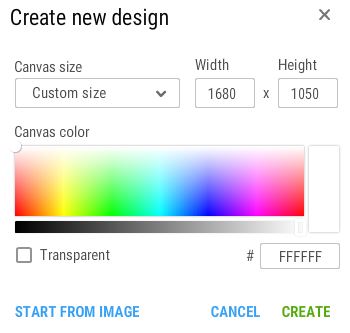
You start with this box of tricks. Here you can modify the background colour from white by moving the white circle across the Spectrum. Note the colour in the little arae on the right. The Stripe below the Spectrum has a slider and this changes the Shade of the colour as opposed to the Tint. Changing the Shade is done by adding Black and changing the Tint would be adding White. So now you know.
Ticking the Transparent box really alters the appearance. Only Pastel colours are available. However, when you click Create you end with a blank transparent sheet. Pointless I think?
You could use the Start from Image and find a good background to place one your images on later.
I have tired this route and I find it is exactly the same as using the Blender in the Editor section.
It is a quick way of getting a design for a Poster.