
Stretching a Point
The late lamented Johnny Wells FRPS was always full of brilliant and simple ideas for making photographs that stand out from the normal run of images. One of these ideas is to use the Transform controls to stretch an image and see where it goes.
As is often the case the hardest part is finding an image that suits the idea. I have found that buildings can work well. People are ripe for stretching too. Also sections of a landscape can have the treatment with success.
When pulling out an image you can easily find that it can go beyond the original bounds of the picture. If you
anticipate this will happen then go to Image > Resize > Canvas Size.
Stretch in one direction, say, upwards or height.
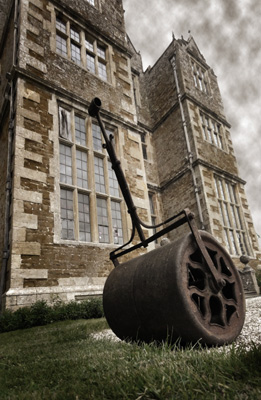
The image of the Roller was made by increasing the canvas by 7% in height and then a Rectangular Marquee drawn from the top, down to the top of the roller cylinder.
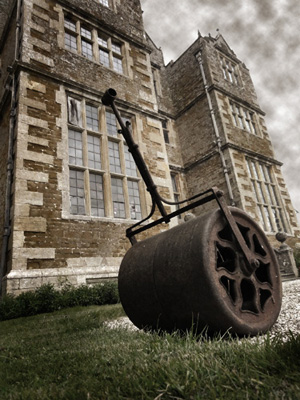
Now key in Ctrl + T. By pulling up the small square in the centre the image was stretched upwards to the top of the new canvas. By making the Selection that excludes the round part of the roller the change to the image is minimal but it gives the image a bit more grandeur as befits this grand country house. It is Chastleton House [NT] in the Cotswolds near Moreton in the Marsh.
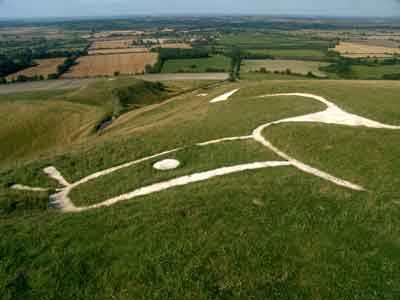
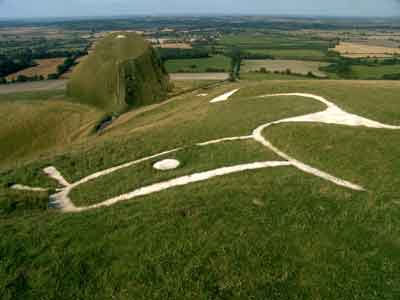
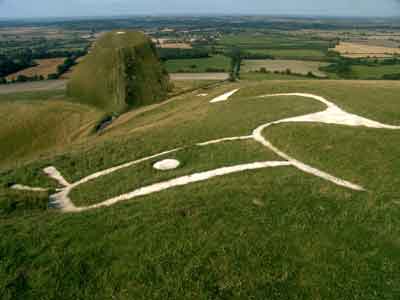
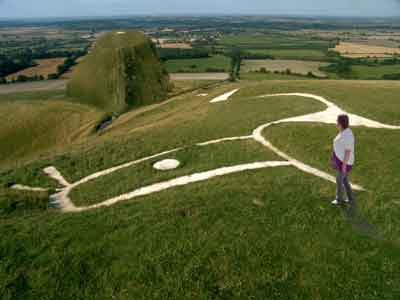
Here is another example using a photograph of the Uffington White
Horse and Dragon’s Hill. The Hill has been transformed in two goes.
The first time was a simple Free Transform. The second time was a Free
Transform to tilt the top of the hill back by selecting just the top part and
squashing the area. Layer Masks were used to erase certain parts of the
layer.
Here we have two ladies that have grown a bit leaving Graham our mine guide to wonder what is happening.
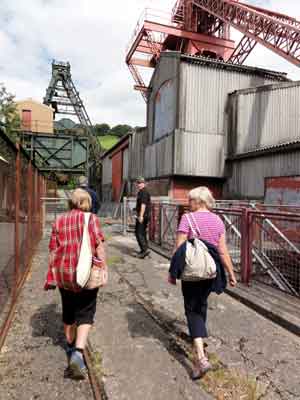
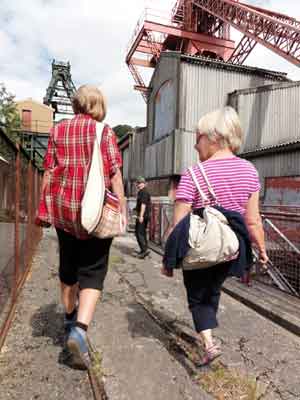
The girls were selected and put on a new layers. Each layer were then stretched using Ctrl + T. The figures in the original image had to removed otherwise parts of them could be seen. This was done by Cloning them out. The shadows remained as they were.
So have a go at this tribute to Johnny Wells FRPS.