
A Place for Everything
Within most versions of Photoshop is a little used Command called Place. This looks innocuous and if you have tried using it you wonder why it should be available at all since its function seems to be around elsewhere.
But this command has unique properties when you want to put one image on another. Normally you would Select All > Ctrl +C and then Ctrl + V to copy and paste to the base image. For the Place Command you go to Menu > File > Place and select the image. It it then placed on your image with grey diagonal lines over it.
See more in the Guide Book called Adobe Photoshop Elements Users Guide.pdf. Go to page 60 and 61 for the Place command. Another video worth looking at is on http://tinyurl.com/jcj2u6r
You can now change the added image size up and down as much as you like and there is no degrading of the image quality at all. Whereas if you try that with the pasted version you will end with a very poor quality image,
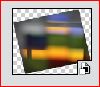
When you Place an image on another image you will notice on the Layers Palette that this new layer has a different icon. The bottom corner has a bit extra as seen here. This indicates it is a Smart Object.
The reason why the image is not degraded is because in the Smart state it is in Vector form and not raster form. This form of imaging is widespread even if you are unaware of that. All PDF files are like this. As are many drawing programs such as Corel Draw or Sketch Up that we have dabbled with in the past. With Windows 10 comes 3D Builder which is a bit similar to Sketch Up. Your TV set has a pictures that is a raster image. So if you get a larger set the picture quality diminishes. This is why manufacturers are striving for new formats to allow bigger sets For instance there is a new format called 4K. It is a picture technology that quadruples the number of pixels found in a full HD picture. With 4K, pixels are usually arranged in a 3,840 x 2,160 configuration, compared with the 1920x1080 you get in a full HD TV.
Read more at
http://www.trustedreviews.com/opinions/4k-tv-10-reasons-why-you-should-care#E7Zqm6kzzwPtT0vu.99 OR http://tinyurl.com/z6ndglz
Compare the pixel numbers with those of your camera.
Within Photoshop you may have found that if you add text to an image that you can resize the text without degradation. Again this is in the vector format.
Another useful informative video can be seen on
http://www.photoshopelementsuser.com/video/moving-one-image-into-another-image/ OR http://tinyurl.com/87muc7m
This shows the use of the Place Command and two other ways of combining images. Note particularly the
item in the Preferences to allow your image to float in the
workspace and to be able to drag images of the bar at the top
of the workspace.
You can apply any of the Adjustment Layers to a Smart Object but sadly none of the Filters [however this is allowed in full Photoshop].
Another interesting ability of Place is that you can Place PDF documents even multiple page ones. If the PDF is not Rasterised then the document can be enlarged without limit. And you can combine images and text too. An Example here Kerry
So why not try using these ideas when combining images to get a guaranteed higher quality result compared to simply dragging images on to the base image.
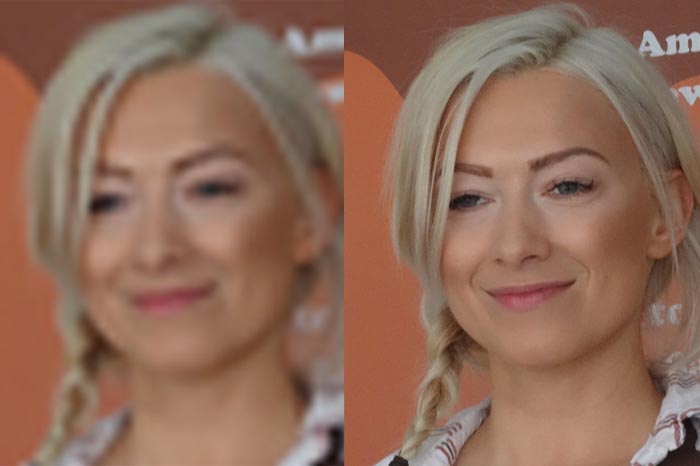
Both images have been decreased in size and then restored to their original size.
The left version was a manually overlaid image.
The right version was a place image.