
Poster Prints
It was brought to my attention by Ron that he wished to make large prints using his A4 printer. We did do this several years ago. No instructions were written down then so this makes amends I hope. Ron gave me a document reviewing programs to perform what Ron wanted. So below are what I found to make poster prints. At that time Elements 2 allowed this process but later versions do not!
The way to make these large prints is to make a number of smaller prints on, say, A4 paper and then butt them together. So, for instance, 4 A4 prints in a rectangle will make and A2 size poster.
Ron found a program called Easy Poster Print. This is a free program and it works well. As usual there are quirks that need explaining and pitfalls to avoid. Download it from HERE
This program can make prints 20x20 metres
.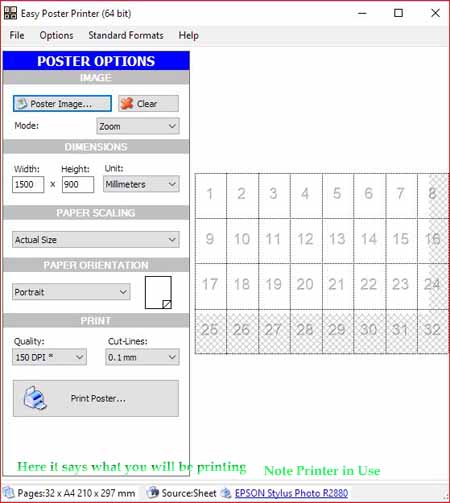
The opening screen is something like this shown here. The white area is where a photo could be and it covers 32 of the rectangles or it needs 32 A4 printing paper. This contains extra parts just into the 11 cross hatched pages.
This program can cunningly overcome this wasteful problem under the Paper Scaling. Scale up or down to fit an exact number of rectangles i.e A4 sheet.Prepared Photos must be in Landscape format for best results. Acrobat and Foxit Readers can also attempt to made tiled poster prints.Using Acrobat to make Poster Prints see https://helpx.adobe.com/acrobat/kb/print-posters-banners-acrobat-reader.html.
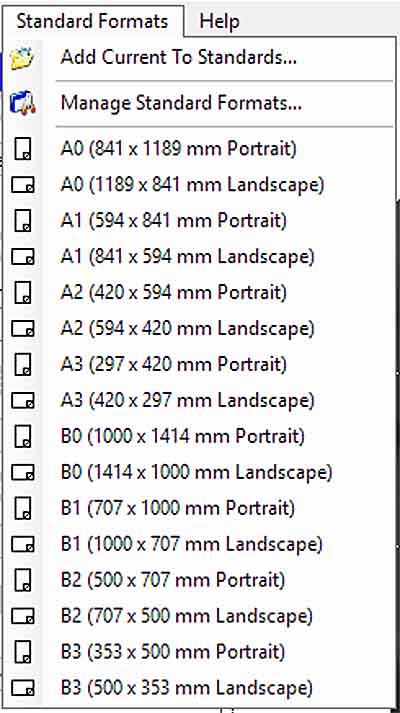
Note that Adobe Reader 9 or earlier: Adobe Reader 9 or earlier do not offer the tiling option.
To page 107
HOME
DIGITAL INDEX